
Your photos by day
Every photo and video on your phone in one timeline, newest first, with Today, Yesterday and a date for each day. Pinch the grid to see more or fewer per row.
Albums, favorites and search
Each folder on your phone is an album: Camera, Screenshots, Download and the rest. Tap the heart to keep a photo in Favorites, and search by file or album name.
Photos and videos, full screen
Zoom in with two fingers or a double tap, swipe between photos, play videos, start a slideshow, and share, edit or set a photo as your wallpaper.
A bin with 30 days to change your mind
On Android 11 and newer, deleted photos wait in the Bin for 30 days. Restore them with one tap, or delete them for good to free up space.
Your files stay yours
Framefold has no account and never uploads your photos or videos. It reads the pictures and videos on your phone to show your gallery. The app is free with ads from Google AdMob, which never see your photos.
Guides
Practical guides to finding, organising, sharing and keeping the photos and videos on your Android phone.
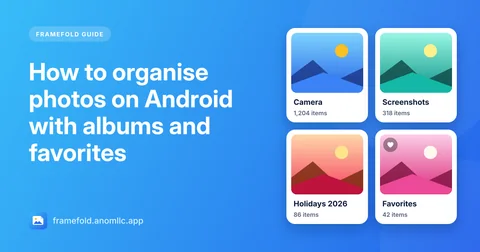
- How to organise photos on Android with albums and favorites
Organise the photos on your Android phone: how albums and folders work, how to make a new album, keep your best shots in Favorites, find photos by date and clear out screenshots.
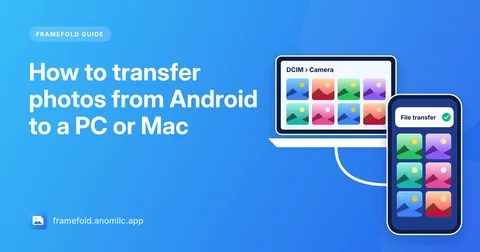
- How to transfer photos from Android to a PC or Mac
Copy photos and videos from your Android phone to a Windows PC or a Mac with a USB cable, or send a few without a cable. Where the photos are, and fixes when the phone doesn't show up.
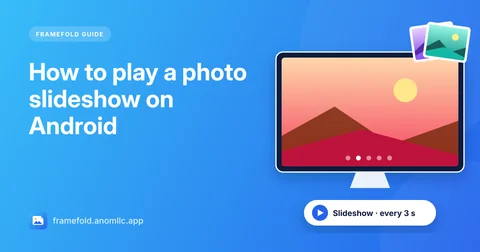
- How to play a photo slideshow on Android
Play your photos as a slideshow on Android in a few taps, choose exactly which photos it shows, and show it on a TV. Free, no account, works offline.
Questions
Is Framefold free?
Yes. Framefold is free and there is no account to create. It shows a small banner under your photos and, now and then, a full-screen ad when you close a photo. Ads never appear while you're looking at a photo or watching a video.
Are my photos uploaded anywhere?
No. Framefold shows the photos and videos that are already on your phone and never uploads them. Your favorites are saved only on your phone.
Can I get back a photo I deleted?
On Android 11 and newer, deleted photos and videos go to the Bin in Albums for 30 days. Open the Bin, select them and tap Restore. On Android 10 and older, Android has no bin, so Framefold asks before it deletes anything for good.
Why don't I see all my photos?
If you chose "Select photos" when Android asked for access, Framefold can see only the photos you picked: tap Allow all at the top of your photos, or allow all photos for Framefold in your phone's settings. Photos saved by some apps in hidden or private folders don't appear in any gallery.
Does it play videos?
Yes. Videos have their own tab, play inside Framefold with a seek bar, and show their length on each thumbnail. Swipe left and right to move between photos and videos.
Which phones and languages does it support?
Android 8.0 or newer. The app is in English and Hindi.